How I Built an Instagram Join Bot with n8n, Meta, and One Very Specific Token
There is a special kind of chaos that happens when your Instagram page starts growing and suddenly the same questions arrive all day long.
"How do I join?"
"Send the link."
"How do I get in the group?"
"Can I get the WhatsApp?"
At first, it feels manageable. Then one day you realize you are spending real human energy answering the same join question in three different places:
- DMs
- story replies
- post comments
That is when the fun starts.
I wanted one automation that could handle the whole thing:
- if someone sends a DM with a join keyword, reply
- if someone replies to a story with a join keyword, reply
- if someone comments
joinon a post, send them a private DM
Simple in theory. Extremely Meta in practice.
What I Was Actually Building
This project was for Lifestyle Hikers, a growing hiking community that needed a cleaner way to guide people into the group without making the admin team type the same welcome message forever.
The mission was:
- catch the right Instagram events
- only respond to join-type questions
- avoid spam loops
- keep the setup reliable enough that it would still make sense two months from now
The stack looked like this:
- Meta app dashboard
- Instagram API with Instagram Login
- n8n
- DigitalOcean
And the live workflow listened on a webhook that Meta could call whenever something happened on Instagram.
The User Experience I Wanted
I did not want a bot that answered everything like it had just discovered caffeine.
I only wanted replies when the person clearly meant:
joinlinkgroupwhatsapphow to joinsignupmembercommunity
If someone says "beautiful hike" or "nice post," the bot should politely stay out of it.
That one rule matters more than people think. A lot of bad automation is not broken. It is simply too eager.
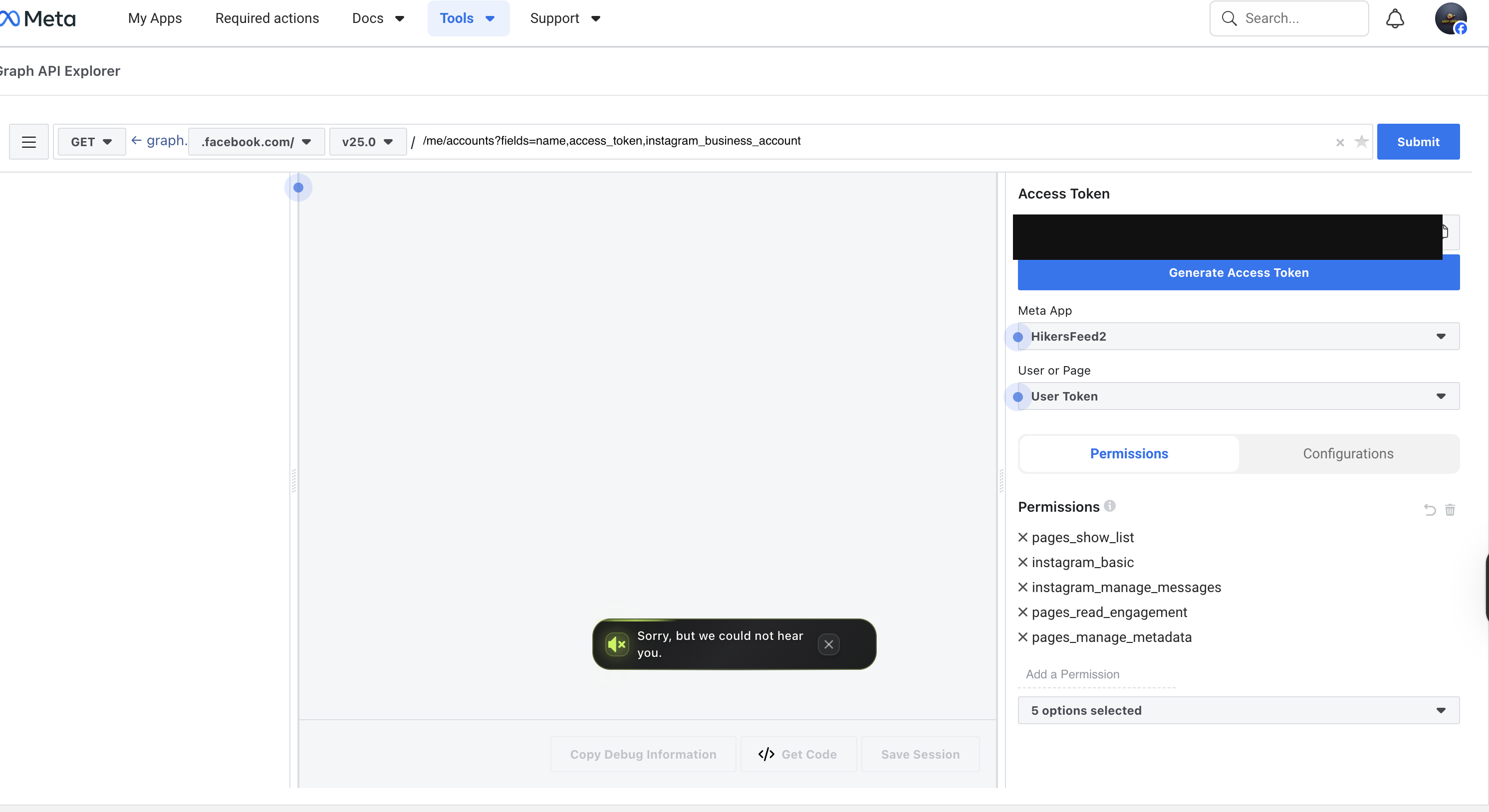
The First Big Lesson: Not All Tokens Are the Same
This is where the project stopped being "set up a webhook" and turned into "earn your stripes."
At one point I had a token that looked valid, felt valid, and absolutely refused to do the thing I needed it to do.
The workflow was receiving the messages. The keyword logic was matching. The send step was still failing.
The problem was not the workflow. It was the token type.
The working solution ended up being an Instagram Login token from:
InstagramAPI setup with Instagram loginGenerate access tokens
Not the first token Meta puts in front of you. Not the Page token from a different flow. Not the "close enough" token.
The exact token type matters.
That was the unlock.
The Second Big Lesson: DMs, Story Replies, and Comments Are Cousins, Not Twins
On the surface, they all feel like "someone contacted us on Instagram."
Technically, they are not the same.
DMs and story replies
These come in through the messages side of the webhook flow.
In practice, a story reply behaves like a message event with story context attached to it.
So if your DM automation works and your story reply is wired correctly, you can usually treat both with the same reply logic.
Post comments
Comments are different.
They arrive as comments events, and if you want to private-message the commenter, you have to reply using the comment ID, not just the sender ID.
That sounds like a small detail. Meta thinks otherwise.
The Third Big Lesson: Testing with Your Own Account Can Lie to You
This one was sneaky.
Some tests looked broken when they were not actually broken. They were just being run from the wrong type of account.
The most reliable test path was:
- use a different Instagram account than the business/admin one
- comment
joinon a post - check that account's DMs
That is how the comment-to-DM path finally proved itself.
It is a very Meta kind of sentence:
"The workflow was fine. The test user was the problem."
The Fourth Big Lesson: Bots Love Talking to Themselves
When I say I had a version that spammed replies, I mean it.
Meta sends back some outbound activity as events too. If you do not filter those correctly, your bot can see its own messages and decide, with full confidence, that it should answer them.
That is how you create a robot that gets stuck in a conversation with itself.
The fix was to ignore:
is_echo: true- non-message events like edits and reads
- anything that is not a real inbound user message
Once those filters were in place, the workflow finally behaved like an assistant instead of a toddler with a megaphone.
The Final Working Setup
The finished system does this:
- comment
joinon a post -> private DM - reply
jointo a story -> welcome message in DM - send
joinin a normal DM -> welcome message in DM
And the welcome message gives people the exact path they need:
- follow the page
- check the website
- fill out the community form
- show up to hikes
- understand that WhatsApp access comes after real participation
Which is what good automation should do.
Not replace community. Support it.
Why I Like This Kind of Project
This is the type of work I love as a Creative Technician.
It is not just "make a thing work."
It is:
- understand the real communication problem
- design a system that feels human
- survive the weird edge cases
- document the fix so nobody has to relearn it the hard way
A lot of useful automation lives in that space.
Not glamorous enough to become a conference talk. Not trivial enough to hand-wave. Just real, practical, high-leverage work.
If You Want One of These
If you run a brand, community, event page, or membership-based business, you probably have at least one repeated conversation that should not still be manual.
That might be:
- "How do I book?"
- "Where is the price list?"
- "How do I join?"
- "Send me the link."
Those are perfect automation candidates.
The trick is not building a louder bot. The trick is building a calmer system.
And if Meta decides to make you earn it along the way, welcome to the club.